.png)


Keystone QS: Construction Cost Estimates in Every Site Engineer’s Pocket
A React Native app for iOS and Android that shows estimated, actual and difference costs for every work category on a project, backed by a Laravel API.
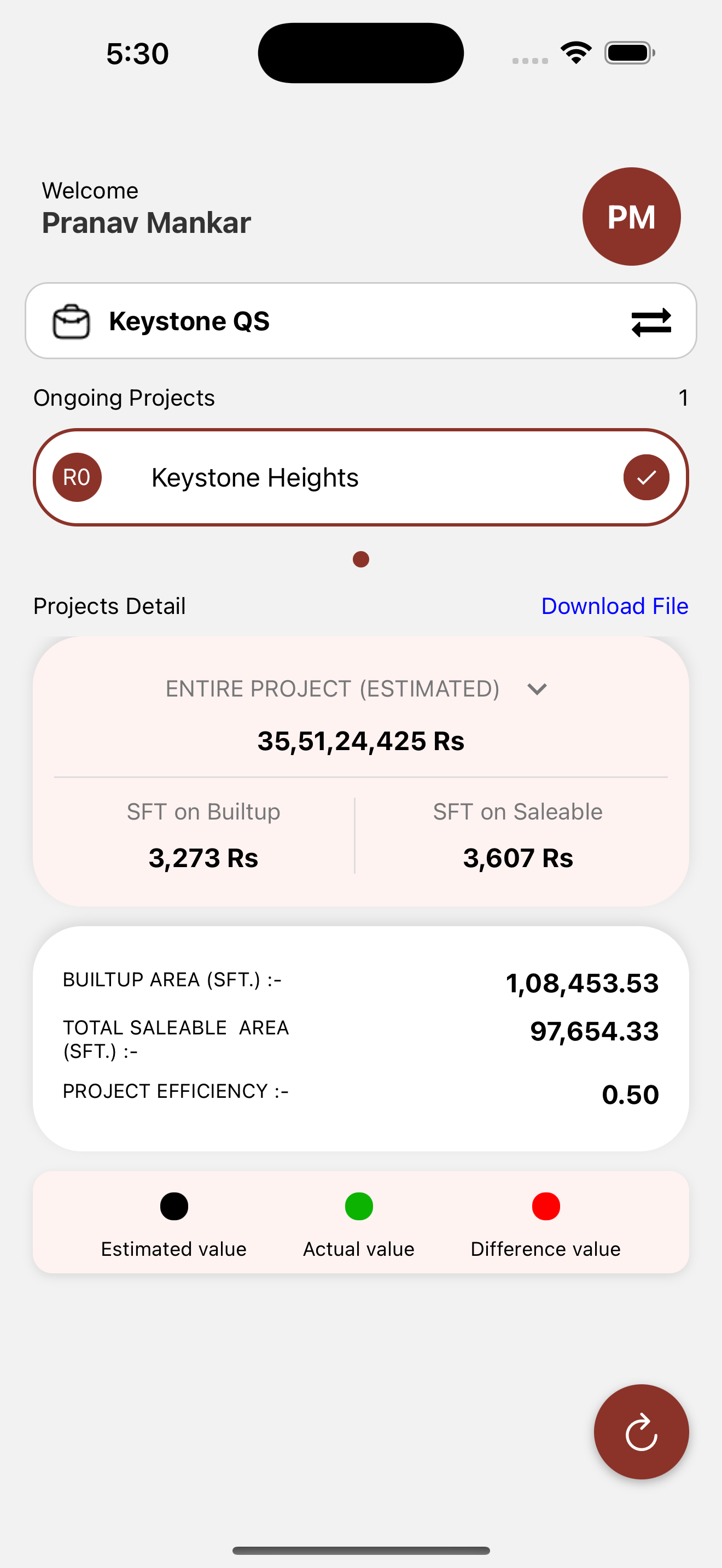
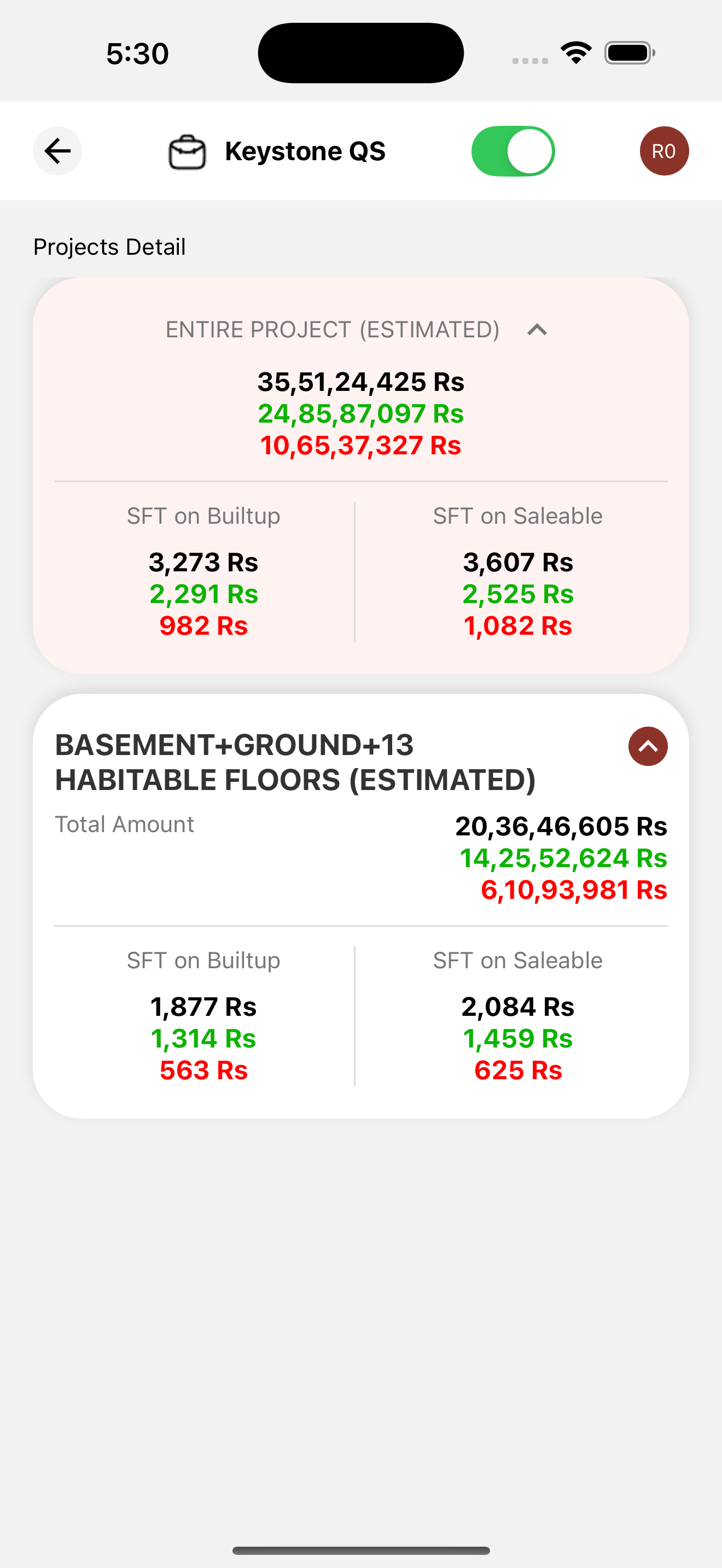
At a glance
| Client | Keystone QS, quantity surveying & construction consulting |
|---|---|
| Industry | Construction · Real Estate |
| What we built | Cross-platform mobile app + API |
| Stack | React Native, Laravel API, MySQL |
| Live | Google Play · App Store |
| Services | Mobile App Development, Custom Software Development |
The challenge
Cost control on a construction project happens on site, not at a desk. Keystone QS’s engineers and clients needed to answer one question quickly and repeatedly: for this work category, what did we estimate, what have we spent, and how far apart are the two? The data existed in the firm’s systems, but reaching it meant a laptop, a login and a spreadsheet, none of which are practical standing on a slab at 11 am.
The brief was a phone app that put those figures one tap away, for every project the firm was estimating, on whichever phone the engineer carried.
What we built
A React Native app for iOS and Android, backed by a Laravel API on the same backend as the firm’s ERP.
- Project → work-category structure. Every project is split into the categories a QS actually costs: earthwork, RCC, masonry, finishing and so on. Open a project and the categories are listed with their numbers.
- Estimated, actual and difference. Shown for each category and for the whole project, so an overrun in finishing is visible even when the project total looks fine.
- Built-up vs saleable rates. The two per-square-foot figures a real-estate developer actually negotiates with, calculated from the same data.
- Colour-coded figures. Estimated values in black, actual in green and the difference in red, so the gap between plan and spend stands out at a glance.
- Shared backend. Estimates entered or updated in the ERP appear in the app: no second data entry and no version drift between office and site.
How we approached it
We chose React Native over two native codebases because the app is data-dense rather than graphics-heavy and the client needed both platforms from day one. The API was designed first, against the ERP’s existing MySQL schema, so the app launched with real project data rather than a demo set.
Results
- 55+ real-estate projects estimated and tracked through the app.
- Site teams see estimated vs actual per work category without a laptop; variance is visible the day it happens rather than at the monthly review.
- Published on both Google Play and the App Store.
- One backend serves the ERP and the app, so office and site always see the same numbers.
Related work & services
The app reads from the Keystone QS HRMS & ERP we built for the same firm. We have also worked on an AI-assisted way to query this construction data in plain English; see our AI & Automation page.
FAQ
Need your project numbers on site, not just in the office?
Book a discovery call and we’ll show you how a cost app would work for your projects.
Book a Discovery Call Contact Us