.png)


Keystone Insight AI: Plain-English Answers on Construction Costs and Quantities
An AI assistant inside the Keystone QS mobile app that answers questions about a project’s costs and quantities from the firm’s own data, so site and office staff no longer open Excel sheets to find a figure.
At a glance
| Client | Keystone QS, a quantity surveying firm in Pune |
|---|---|
| Industry | Construction · Quantity surveying |
| What we built | An AI assistant inside the existing Keystone QS mobile app |
| Stack | FastAPI and Python, GPT-class models, MySQL (read-only), React Native app |
| Services | RAG & LLM Integration, AI & Automation |
The challenge
Keystone QS already ran its office on the ERP we built and its site teams on our cost estimation app. The data was all there: rates, quantities and costs per building, floor and work head. Getting one specific figure out of it was still slow. Someone on site who needed the total steel for three floors would call the office, and someone in the office would open an Excel export and filter it by hand.
The firm wanted to ask the question directly, from a phone, and get an answer it could trust.
What we built
An AI assistant built into the app the team already uses, backed by a FastAPI service that turns a plain-English question into a safe database query.
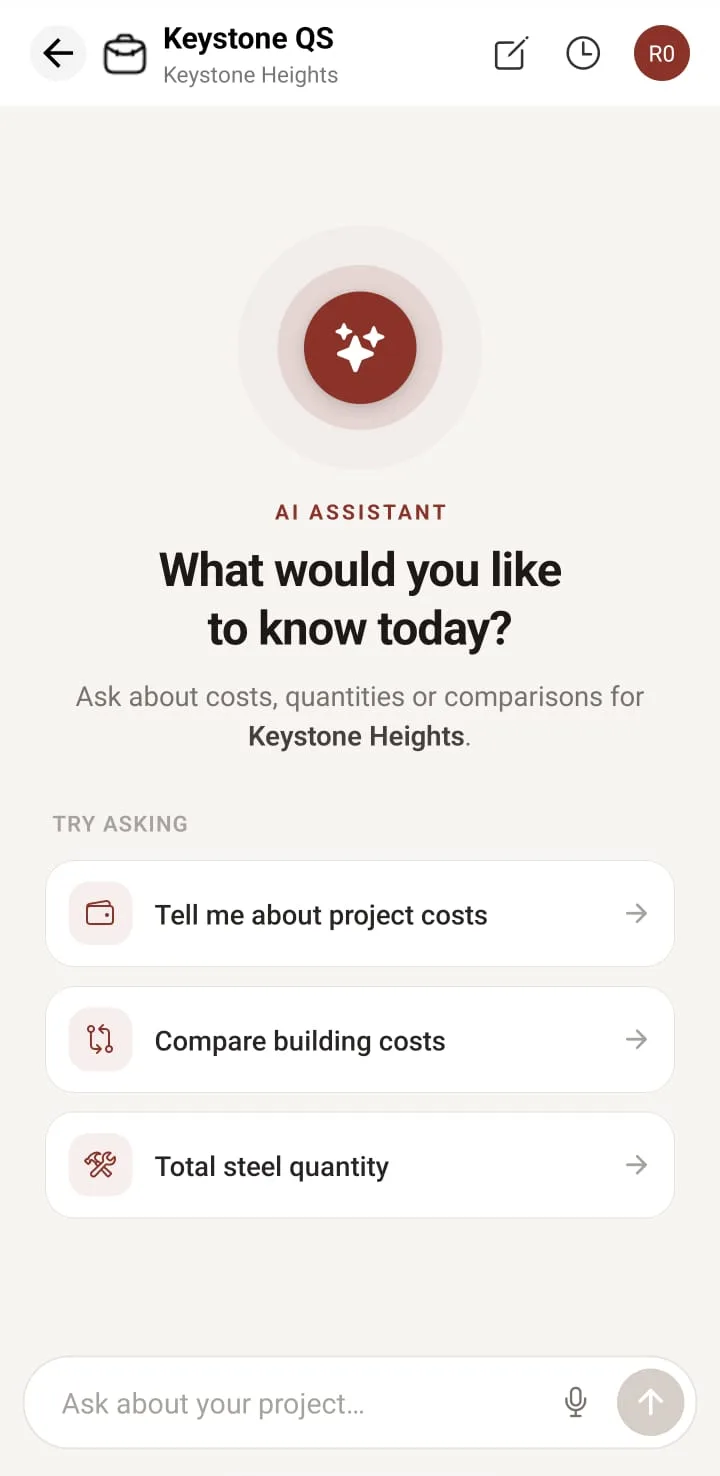
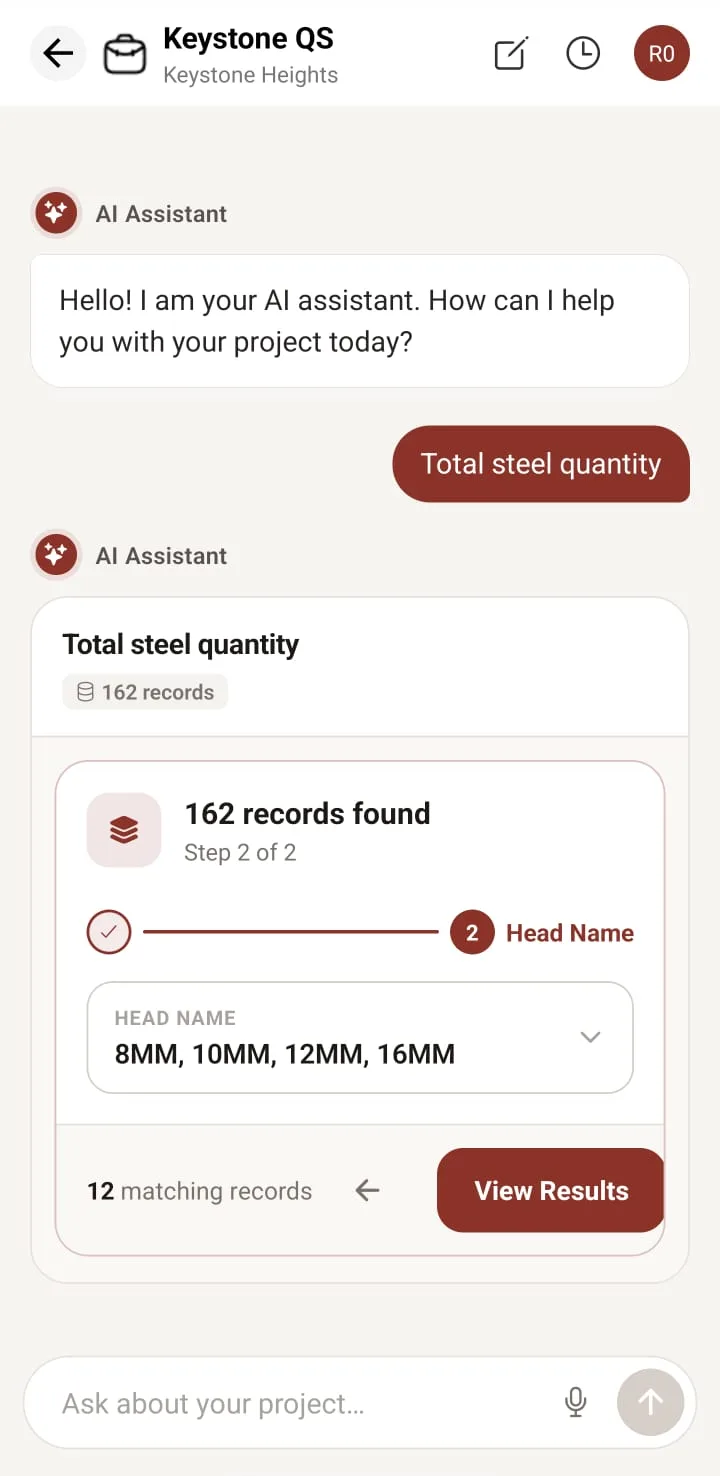
- Ask in plain English. Staff open the assistant from a project and ask about costs, quantities or comparisons, such as “Total steel quantity” or “Compare building costs”. Suggested questions help first-time users, and voice input sits next to the text box.
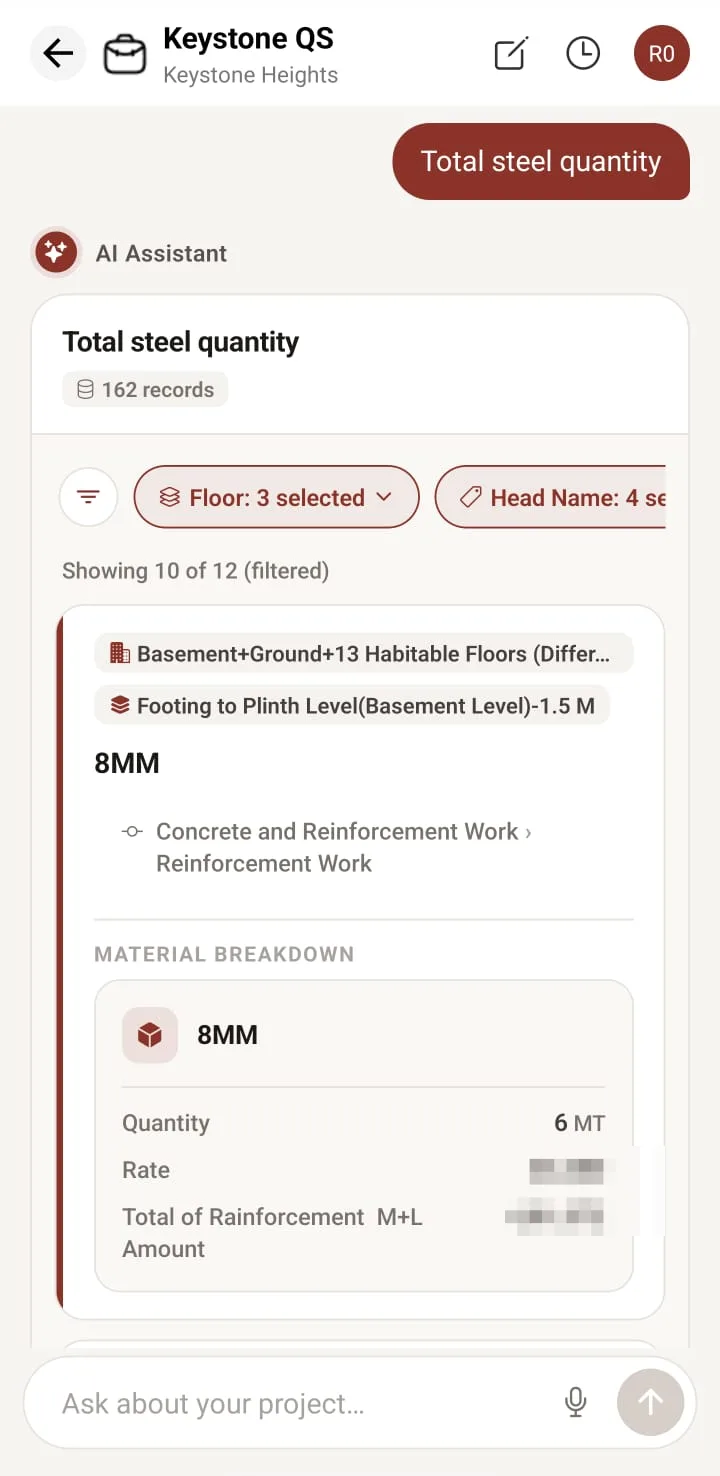
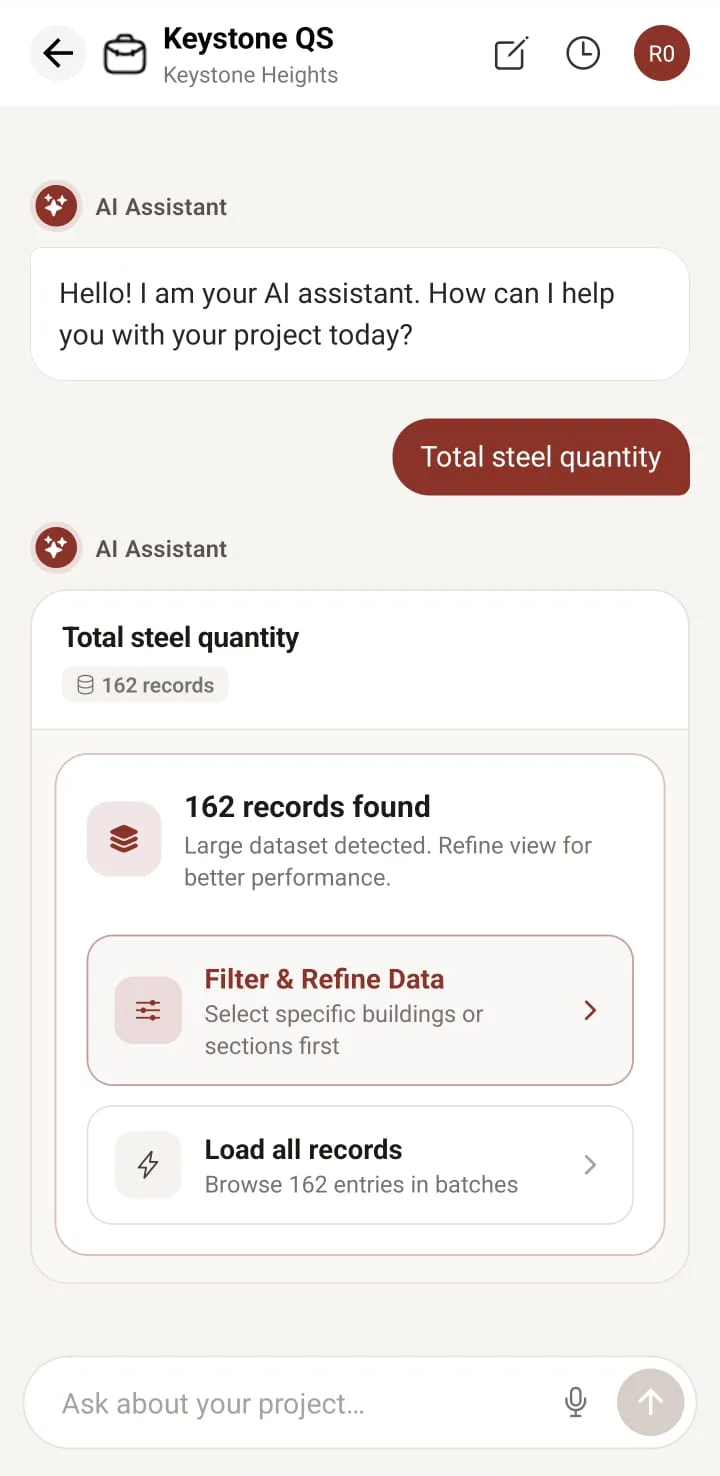
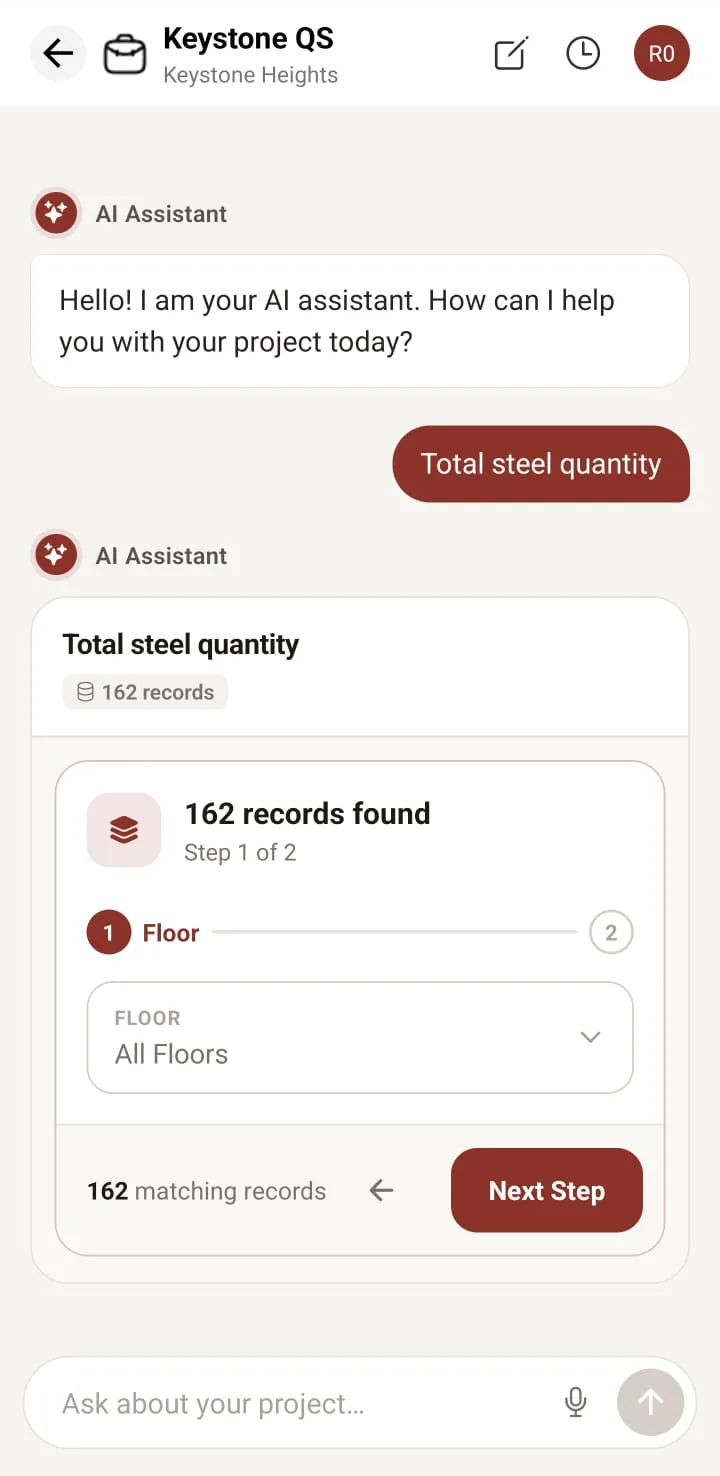
- Guided refinement for large answers. When a question matches many records, the assistant does not dump them on the screen. “Total steel quantity” found 162 records; the app asked for the floors and the bar sizes in two steps and narrowed it to 12.
- Answers as structured cards. Each result shows the building, floor and work head, with a material breakdown of quantity, rate and amount, loaded in batches with filters that can be changed.
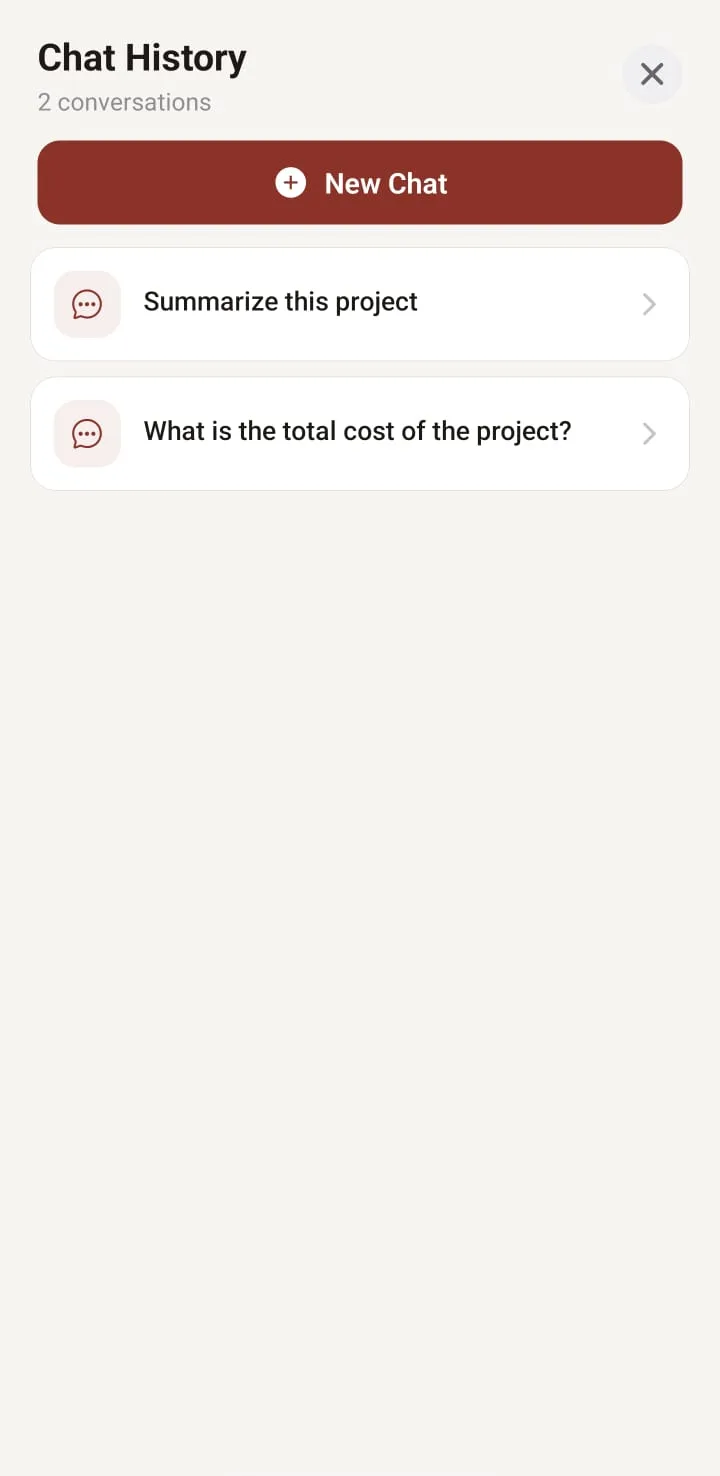
- Conversation history. Past questions, such as “Summarize this project” or “What is the total cost of the project?”, are saved and can be reopened.
- Safe by design. Queries run on a read-only database account against approved tables only; every generated query is checked before it runs; and users only get answers from data their app role can already see.
How we approached it
We started from the questions the team already asked by phone and email, not from the model. Those questions mapped to a small set of tables in the existing MySQL database, so the assistant was scoped to those tables and given read-only access from the start.
The mobile app was the obvious place for it: site engineers already carried it, and it already knew the user and the project. The FastAPI service sits beside the Laravel ERP, receives the question with the user’s project and role, asks a GPT-class model to write the query, checks it, runs it and returns structured rows that the app renders as cards. Large result sets are refined in steps rather than shown in full, which keeps answers readable on a phone and fast on a slow connection.
Results
- Staff get cost and quantity figures on the go, from the app they already use, instead of opening Excel sheets.
- Large questions are narrowed in two steps, such as 162 records to 12, before anything is shown.
- Answers come from the firm’s own data, read-only, limited to approved tables and to what each user’s role can see.
Related work & services
Built on the same data as the Keystone QS HRMS & ERP and the Keystone QS Cost Estimation App. See our FastAPI and Python work, RAG and LLM integration, and our construction and real estate work.
FAQ
Want to ask your own data questions in plain English?
Tell us what your team keeps looking up in spreadsheets. We will show you Keystone Insight AI and scope the same for your data.
Book a Discovery Call Contact Us